|
Dec 31,2006 - Jan7,2006 |
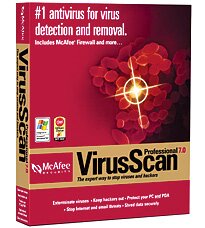
McAfee VirusScan V. 7
By Alessandro Cancian
Originally Published: 2003-02-09
It wasn't too long ago that anti-virus software was very difficult to install and use, which is why many computer users just went without and hoped for the best.
With version 7 of their VirusScan software, McAfee overall has improved experience for installation and maintenance of PC antivirus software. VirusScan automatically downloads up-to-date virus definitions from the Internet displaying an essential interface easy to navigate.
Easy to install even for first time buyers, VirusScan is however less friendly for old users requiring you to uninstall previous versions of the software or others antivirus products.
Like other antivirus packages, the McAfee product includes a complimentary one-year subscription to McAfee's virus-definition service, indispensable to keep your system up-to-date.
VirusScan is built around a very essential interface, but it offers full controls on the settings, downloads scheduling and scanning and much more. In addition to preventing and/or erasing eventual viruses that should happen to infect your computers, VirusScan checks your e-mail fully supporting SMTP-based e-mail clients such as Microsoft Outlook and Eudora.
The most interesting features include the ability to intercept mass-mailer worms so if your e-mail app tries to send a message to more than 60 percent of your address book the antivirus will inform you.
Script Stopper instead, detects, alerts, and blocks malicious script actions to keep your computer safe from script-initiated threats. It adds an extra layer of protection from the most common type of infection method for consumer viruses.
VirusScan 7 scans Microsoft Office 2000+ documents to provide extra protection to users of Microsoft Word, Excel, and PowerPoint (2000+) in the event that VShield background scanning gets disabled.
VirusScan 7.0 checks all entry points to your computer including the synchronization process with your PDA. By eliminating threats that could be transmitted during PDA synchronization, the integrity of your system cannot be threatened via the PDA entry point and your system is more secure.
Page 1/...Page 2
|
| Home / Back to Top |
|
|
 |
|
|



























 </ td>